Turn an everyday routine into clear picture cards. Plan for yourself, a child, an adult you support or an older relative. The person following the routine sees one picture, a few words and one manageable next action — without a crowded checklist.
The current release is free, including AI drafting. No in-app purchase or subscription is offered in this release.
Real iPhone-interface captures with demonstration data. Android uses the same picture-card workflow; platform controls can differ.
Make the plan together
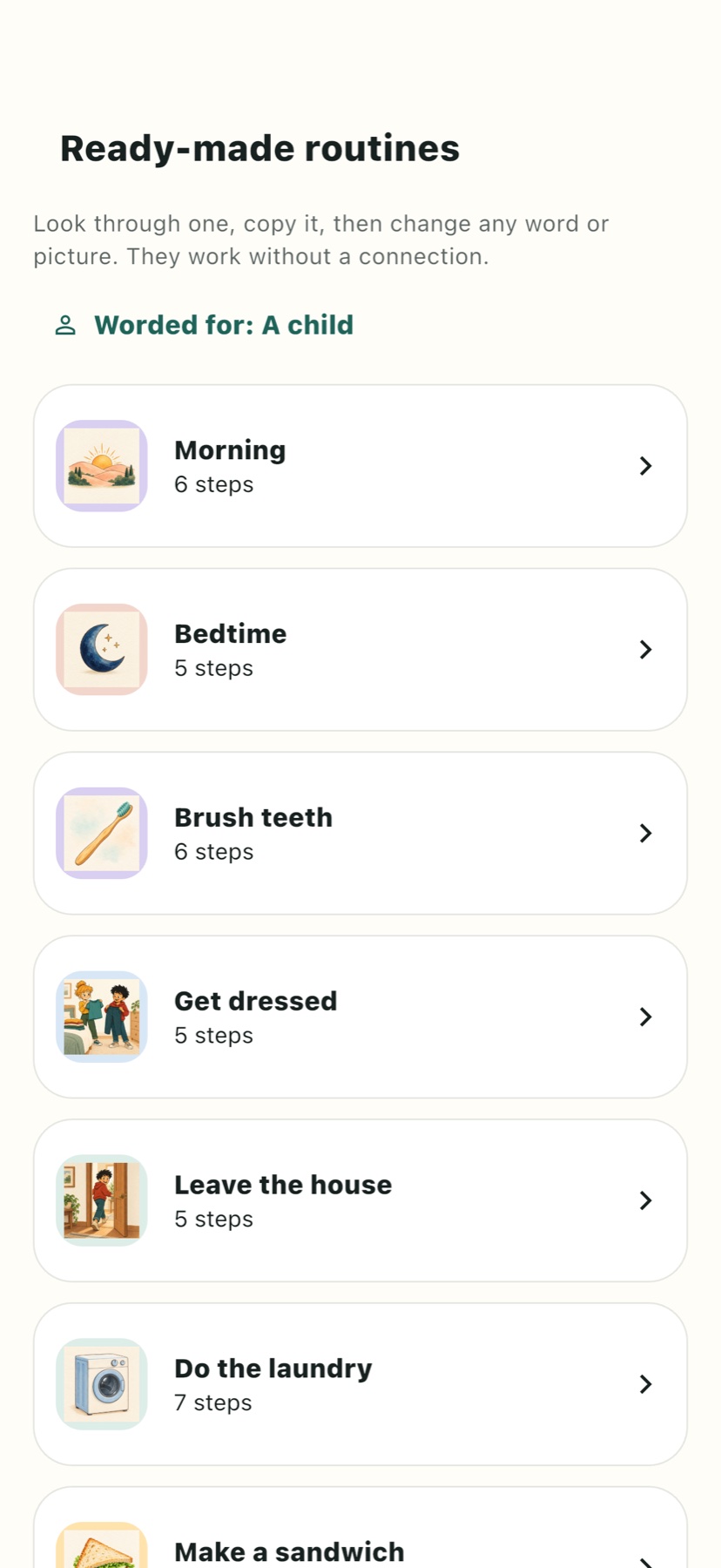
Choose a starter routine or build your own sequence. Manage several people and routines from the planning phone. An optional AI helper can draft or simplify steps from text or a short dictation; AI needs an internet connection.
Recognisable pictures and voices
Choose from 357 original illustrations, or use a photo of the real toothbrush, cupboard or shoes. Record a familiar voice for a card or a welcome message. Add a silent timer only where it helps.
Their device, or the same phone
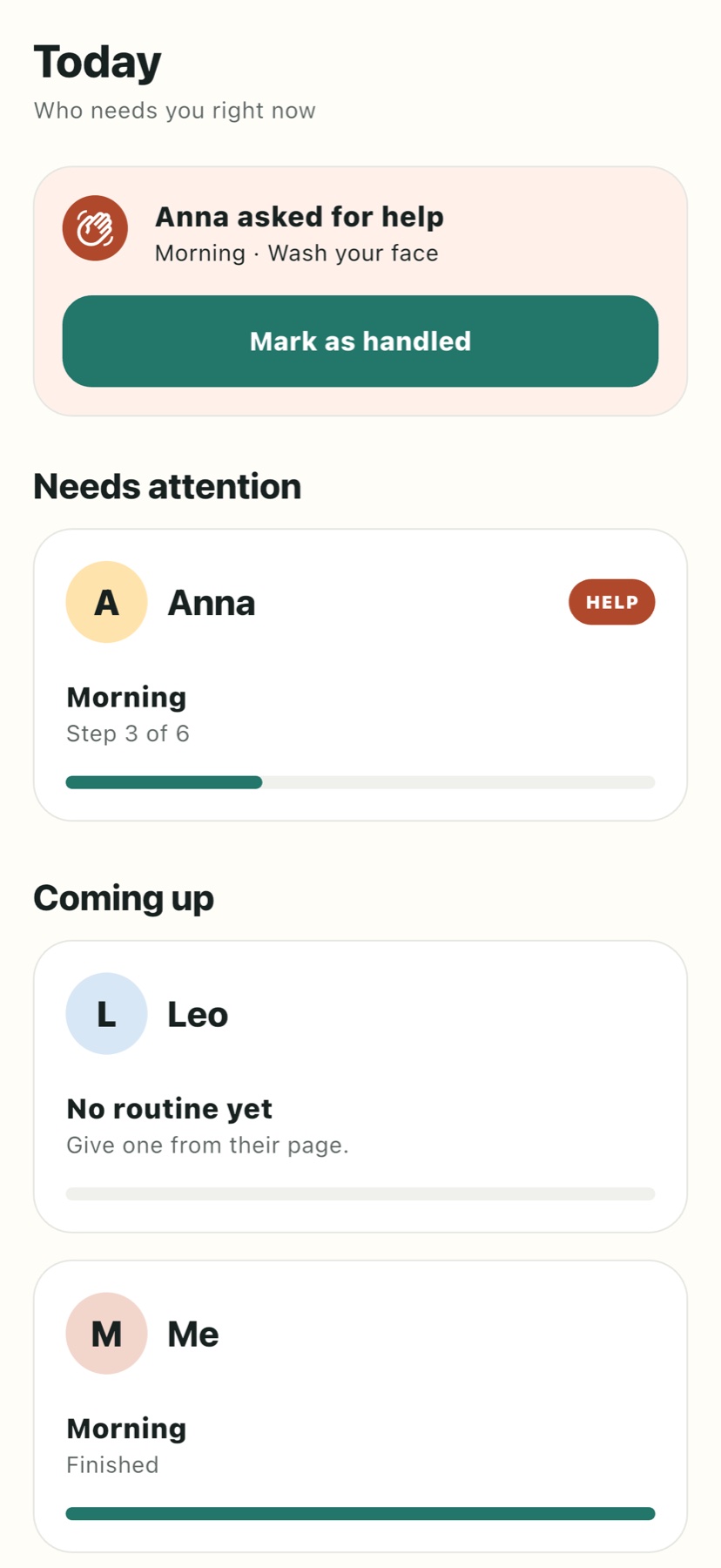
Run a routine on the planning phone, or connect another phone or tablet with a QR code. Follow progress, see help requests and review optional proof photos. Previously loaded routines and media can run offline; updates sync when a connection returns.
A look inside the app
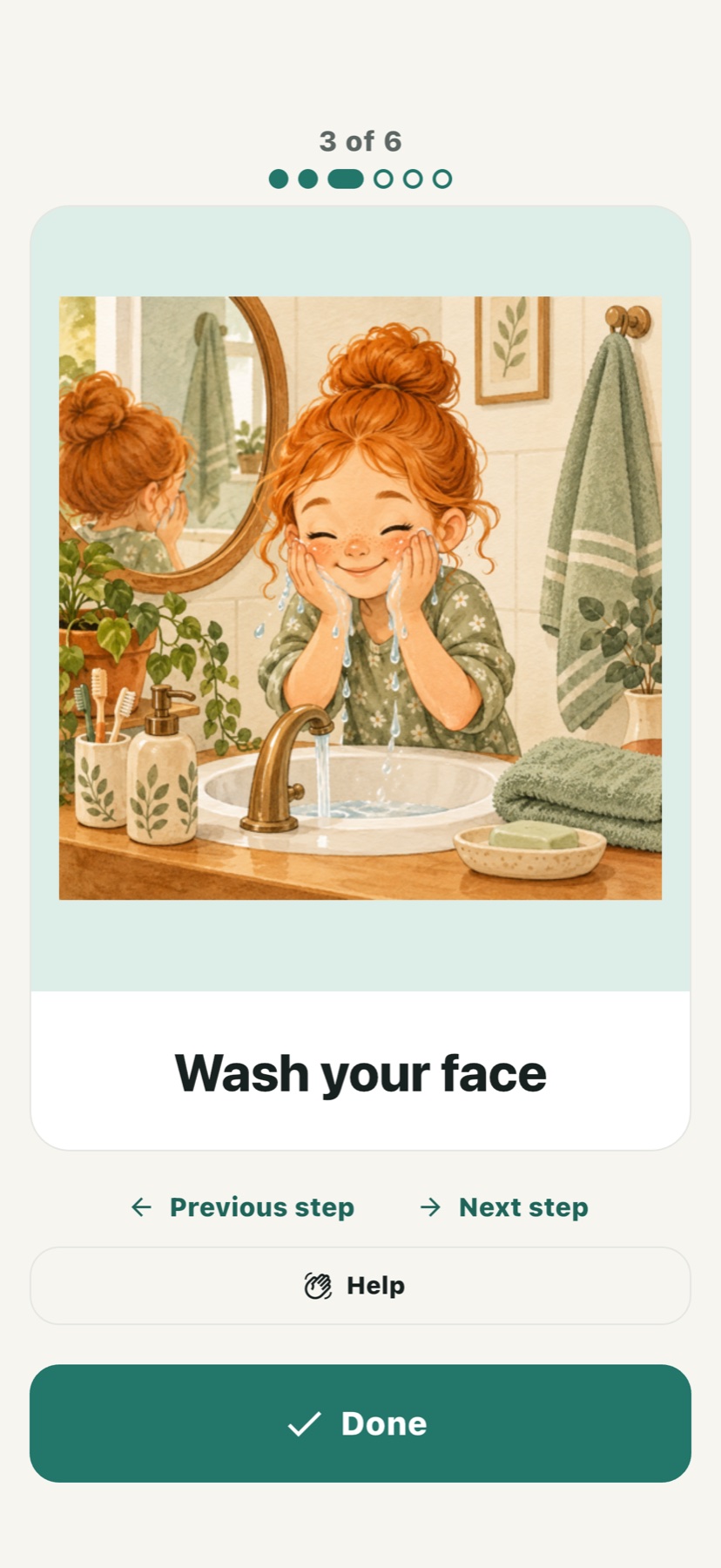
One picture card, with Previous, Next, Help and Done.Starter routines you can adapt to the person.The planning view: routines, progress and the next useful action.
Learn what Done, Previous, Next, Help and the optional call button actually do.
Practical questions
Do I need two devices?
No. You can plan and run routines on the same phone. A second phone or tablet is useful when someone else follows the cards while you manage the plan.
Does a QR connection need a PIN?
No PIN is required to finish connecting a device. A caregiver can configure optional exit protection separately. Finish the connection flow before treating the device as connected.
Can someone return to an earlier step?
Yes. Previous and Next buttons, and swipes when browsing is allowed, let the person look through steps without completing them. Completed steps can be undone. A caregiver can restrict browsing of future steps.
What happens when someone asks for help?
Help records an in-app request for the caregiver; it is not a telephone call or an emergency alarm. If the caregiver enables a helper number, a separate Call helper button can start an ordinary telephone call, subject to the device's service and system confirmation.
What works without the internet?
Load the routine and its pictures or recordings while online first. The guided cards and locally recorded progress can work offline. Synchronisation, help delivery and AI features need a connection; do not use the app as a guaranteed safety system.
Are photos or voices analysed by AI?
Proof photos and familiar-voice recordings are not automatically judged or sent to a model. AI drafting can send the text or short dictation you choose for that feature. See the Privacy Policy for storage and optional usage statistics.